
Ordering
Get guidance on selecting products, requesting quotes, placing orders, confirming details, and understanding the steps from order submission to production.
Can I see my logo on a notebook before I order?
Yes. Request a free Visual Proof™ on the product page and our in-house designers will show your logo on the cover with the price and delivery date, usually in around 20 minutes. You can request as many changes as you need before you approve it.
How do I order printed tote bags with my logo?
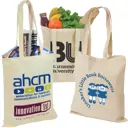
Choose your bag, enter the quantity and print options, then request a free Visual Proof. Our designers put your logo on the bag and send it back with the price and delivery date, usually in around 20 minutes. Once you're happy with it, approve the proof and complete the order online.
How do I order printed tote bags with my logo?
Choose your bag, enter the quantity and print options, then request a free Visual Proof. Our designers put your logo on the bag and send it back with the price and delivery date, usually in around 20 minutes. Once you're happy with it, approve the proof and complete the order online.
When is buying direct from a factory actually worth it?
When you are ordering very high volume of one single item, when the product has to be tooled because it does not exist in any catalogue, when you control a long lead time, when you have in-house sourcing and compliance capability, or when it is a repeating annual order where the setup cost spreads across years. It is rarely worth it for modest quantities, mixed orders, one-off orders, or anything on a deadline that cannot move.
Is it cheaper to buy branded merchandise direct from China than from a UK supplier?
The unit price is usually lower, and the landed cost often is not. On top of the factory price you pay freight, which is charged by volume rather than per unit and so barely falls on a small order, plus import duty, import VAT at the border, customs clearance, port handling and delivery. Add currency movement, a deposit paid months in advance and your own time managing it. Direct import tends to win on very high volumes of a single item and to lose on modest or mixed orders.
How do I check a promotional merchandise supplier is legitimate?
Ask whether they print in-house or source, and expect a straight answer either way. Ask for the minimum order and the delivery date on a specific product and see whether they can answer without checking. Ask whether you will see a proof before production and whether changes cost anything. And ask what happens if the order is late, because a guaranteed date with a stated consequence is a different commitment from an estimate.
Do I need to see a physical sample before ordering branded merchandise?
It depends on what the product has to do. For anything worn, carried or given as a gift, handling it first is worth the delay, because material and weight are difficult to judge from a photograph. For a straightforward giveaway item you have ordered before, a digital proof showing the branding is normally enough. Ask whether pre-production samples are available for the specific product, since the answer varies by item.
Is a self-serve online design platform good enough for company merchandise?
It is good enough when the quantity is small, the artwork is already correct and nothing depends on the result. Nobody reviews your file before it prints, so a low-resolution logo or one too fine for the branding method will be produced exactly as supplied. For anything representing the company at an event, going to clients, or working to a deadline, a supplier who checks the artwork and issues a proof is worth the difference.
Is a specialist supplier better than a general promotional products supplier?
For a large order of the single product they specialise in, usually yes, because the depth of knowledge and the pricing at volume are both real. For an order covering more than one product, usually no, because you end up running several orders with several artwork approvals and several delivery dates. A useful rule: one product in large volume goes to the specialist, and anything with a second product in it goes to a supplier carrying a range.
What is the difference between a promotional products distributor and a printer?
A printer owns decorating equipment and produces what those machines can produce, so their range is set by their kit. A distributor sources products from many manufacturers and arranges the decoration, so their range is much wider but they are one step removed from the machine. Most promotional merchandise companies are distributors and most local print shops are printers. Some businesses do both. Knowing which you are dealing with tells you whether their range or their control over production is the stronger card.
What is the minimum order for printed t-shirts?
Minimums on clothing are set per product and generally apply per style and per colour rather than per order, so a hundred shirts across two colours can count as two minimums. For a bulk order the simplest approach is one garment in one colour with the size split providing the variety. The minimum on the product page is the one that applies, and if it is higher than you need there is often a similar garment with a lower threshold.
How many of each size should I order for a bulk t-shirt order?
Order to a distribution rather than an equal split across the range. The middle sizes go fastest at an event, so weight the order towards them and carry the ends more lightly, and include the sizes above and below the standard run rather than stopping at the edges of it. If you are ordering for a named team rather than a crowd, collect the sizes individually first and order against that list.
How far in advance should I order merchandise for a trade show?
It depends heavily on the product. Dispatch at Hotline Promotional Products runs from 5 days on a screen printed canvas tote to 22 days on a full colour bamboo fan. Rather than working to a general rule, set your show date on the site and you'll see exactly what can still make it.
Who do I contact if there is a problem with my order?
Our online Support Centre is the best route. It brings your query into one place so our team can pick it up and respond quickly, and you will not need to track down a particular person to get an answer.
What happens if I don't verify my email?
Nothing changes. You'll continue to see the orders you placed yourself, exactly as before. Verification only adds access to your organisation's wider order history.
If my price is locked, what happens if the price drops?
Don’t worry, you won’t miss out. Your Price Lock protects the price on your Visual Proof™ for 14 days, but if the price drops during that time, you’ll get the lower price.
We’ll also let you know by email if the price drops, so you never miss a deal.
Can I change the quantity on my Visual Proof™?
Yes, absolutely. Just change the quantity on your Visual Proof™ and your price will update to reflect the new amount. You can try different quantities to see how they affect the price before deciding how many you'd like to order.
Can I get an alert when a product is back in stock?
Yes. If a product or colour is currently unavailable, enter your email address in the Back in stock alert box on the product page. We’ll email you as soon as it becomes available again. You can also see the expected restock date on the product page, where available.
Why does a product show ‘In stock’ without an exact quantity?
Some products are made to order and are always available, so there isn’t a fixed stock quantity to display. These products will show as ‘In stock’ without a number. For most stocked products, we show the exact quantity currently available on the product page, on your Visual Proof™ and in your basket.
Do I need design experience to order promotional products?
Not at all. Simply upload your logo when requesting a Visual Proof™ and let us know if you have any additional branding instructions. Vector files, like a PDF or Adobe Illustrator, are ideal, but upload whatever you have and let our in-house experts work their magic. We’ll create a digital mock-up showing your logo on the product, usually within 20 minutes. You can then check how it looks and let us know if you’d like any changes.
Is Buy Again useful for uniforms and onboarding kits?
It's the clearest case for it. Uniforms and welcome kits are meant to stay identical between orders, so repeating the exact specification is the point rather than a shortcut.
What should I check before repeating an order?
The current price at the quantity you want, the delivery date on the product page, and the stock figure. On clothing, check the stock by size, because availability moves.
Can I re-order something a colleague ordered?
Yes, if you've verified your work email address. Your account can then show relevant previous Hotline orders placed by colleagues within your organisation.
Will the delivery date be the same as last time?
Not necessarily, as lead times can change depending on the product, branding method and current stock availability. You can quickly check the latest live, guaranteed delivery date on your Visual Proof™ and again in your basket before ordering.
Will the price be the same as last time?
Not necessarily. Prices move, and the price per unit also depends on the quantity you order, so check the current price on the product page. If you're ordering a different quantity from last time, the unit price will change with it.
Where is Buy Again in my account?
It sits alongside your previous orders. Open your Hotline account, find the order you want to repeat, and Buy Again takes you back to the product.
Do I have to find my logo file again when I re-order?
No. The artwork from your previous order is held against it in your account, so you don't need to go looking for the original file.
Can I re-order promotional products I've ordered before?
Yes. Buy Again in your Hotline account takes you back to any product you've previously ordered, with the detail from that order attached, so you don't have to search the website again.
What's the best way to handle merchandise approval across a team?
Agree who approves what before you start, build one basket rather than several, and share it as a single link. Approvals hold up more merchandise orders than production does, so naming the approver in advance is the cheapest time you'll save.
Can I still change my basket after sharing it?
Yes. Your own basket carries on as normal and you can keep editing it. The version you shared stays as it was, so nobody is approving a moving target.
How do I get merchandise approved internally without a lot of back and forth?
Build one basket, share it as a single link, and name the approver before you send it. If the question is what it'll look like rather than what it costs, send a free Visual Proof alongside it.
What does the person I share with actually see?
The products you selected, the quantities you set and the prices, all on one page, as the basket stood when you sent it.
Why doesn't the shared basket update automatically?
Because if you're asking somebody to approve a spend, they need to approve a fixed list. A basket that changed underneath them would make the approval meaningless and would make the invoice come as a surprise.
If I change my basket after sharing it, does the shared version update?
No. The shared basket is a snapshot of your selection at the moment you sent it, so the person reviewing sees exactly what you sent rather than something that's changed since. Share it again to send an updated version.
Can I share a basket of promotional products with a colleague?
Yes. Build your selection on hotline.co.uk and share it by email. Your colleague opens one link and sees every product you chose, with the quantities and the prices.
I have specific Pantone colours for my brand. Can I use them?
Definitely! When you request your free Visual Proof™ on the product page, upload your logo or add your text, and let us know the Pantone colours you’d like to use. If you’re unsure about the colours, don’t worry—our in-house design team will match them for you. Once we have your instructions, we’ll send you a visual proof that includes the design, print colours, and all pricing and delivery details. You can review everything to ensure it’s perfect before you proceed with your order.
Can I include my own delivery note?
Unfortunately, we are unable to include personalised delivery notes with your order. All orders are sent directly to the address you provide and come with a standard Hotline delivery note. If you’d like your order to be sent without any reference to Hotline, simply tick the 'Plain Label' option at checkout.
For any special delivery instructions, we recommend adding these directly to the delivery address so they can be easily followed.
Why is VAT charged on delivery, and how does this work?
VAT is applied to delivery charges because it is considered part of the overall supply of goods or services. The same VAT rate that applies to the products you’re purchasing is also applied to the delivery. For example, if the items in your order are subject to the standard VAT rate, the delivery charge will also include VAT at that rate. This ensures compliance with HMRC regulations.
Can you Price Match a competitor’s quote?
Yes, we can! Key details about our Price Match Promise - Clear, straight forward information to keep things simple:
- We only price match against UK companies and websites selling UK products.
- The competitor’s products must be exactly the same as the products on our site.
- The product must be available and be ordered and paid for on the same day.
Here’s how you request our famous Price Match Promise . . .
- Request a Visual Proof™ for the same product.
- Click the ‘Price Match’ link on your Visual Proof™ (found below the Buy Now button).
- Upload the competitor’s quote for verification.
- We’ll ensure the quote is like for like, and then update your Visual Proof™
- Once you receive the updated Visual Proof™, add the item to your basket and checkout.
Please note: Price Match Visual Proof™ must be purchased within 24 hours. After this, pricing reverts to our original competitive rates.
Can I order a larger quantity than the dropdown offers?
Yes! Just enter your required amount in ‘Custom Quantity’ box in the Choose drop down and the price will update automatically.
Can I order plain stock?
Unfortunately not, we specialise in branded products, ensuring every item is tailored with your logo or design.
Why is the price on my Visual Proof™ different from my Instant Quote?
To ensure your order arrives on time for your event, all Visual Proofs™ default to the fastest available delivery option. However, we also offer a no-rush Free Delivery option, which is reflected in your Instant Quote and can be selected from the 'Delivered by' dropdown menu. This way, you have the flexibility to choose what works best for you!
Can I add a purchase order (PO)?
Yes! At checkout, select "Existing Customer – Credit Account" and enter your PO number. Alternatively, upload your PO with your order reference into our Support Centre found on our Contact Us page.
Can I mix designs or colours?
Each design or colour requires a separate Visual Proof™. Simply add your chosen options to your basket one at a time.
What does the price include?
Our prices include the product, logo setup, branding, and delivery. Hover over "Total Price" on the product page for a full breakdown.
Can I order different quantities, sizes, or colours?
Yes! Different quantities or colours need to be added as separate lines to your basket. For clothing sizes, you specify these on your Visual Proof™ when ordering.
Can I place multiple orders?
Yes, simply request as many Visual Proofs™ as you need and add all the items to your basket and check out in one go.
If I order a certain quantity of items, with a split of two designs, can I get the lower unit price break?
Not quite. Each design requires its own setup and is treated as a separate order, so pricing is calculated independently. The good news? Once your design is in our system, it’s saved and ready for easy reordering anytime!
Can I mix colours or designs within the same product line?
We’re unable to mix colours or designs within a single order line. If you’d like variations, just request individual Visual Proofs™ for each colour or design. This way, we can ensure every detail is just right!
The product I want is out of stock. Can I still get a Visual Proof™?
You can get an Instant Quote on the product page, however, you are unable to create a Visual Proof™ if an item is out of stock. We only provide a Visual Proof™ for in-stock items to avoid overpromising.
What does the price online include?
Our pricing is fully transparent. It includes the product, logo setup, and branding. You can view a breakdown by hovering over the ‘Total Price’ link next to the item price on your Visual Proof™. Delivery costs and VAT details are also clearly displayed.
Do I need to approve my Visual Proof™?
Your Visual Proof™ is your final order sign-off. If you’re happy with how everything looks, simply add the product to your basket and checkout online.
If you’d like anything changed first, click ‘Request Changes’ on your Visual Proof™ and tell us what you’d like amended. Your request goes directly to our design team, who’ll update your proof for you.
Once everything looks right, you’re ready to order.
Can I order different clothing sizes?
Yes! You specify sizes before adding to the basket on your Visual Proof™. This ensures everyone receives the right fit within your total order quantity.
How do I change the quantity I want?
Simply use the dropdown arrow in the 'Select Quantity' box and select the quantity you require, your price will be instantly updated.
Can I order fewer than the minimum quantity?
Orders must meet the minimum quantity shown on the product page. The minimum varies by product and is clearly displayed online and on your Visual Proof.
I need to see all the items I want to order in one place.
No problem! Here’s how you can do it:
Select the items you’re interested in and click the ‘See Your Logo on It’ button.
Upload your logo and request a Visual Proof™. Within 20 minutes, you’ll receive a your fully priced Proof for that item. Add the item to your basket.
Repeat this process for each additional item you require. (Your logo will be saved in our uploader after the first upload for easy access.)
Once all your items are in your basket, if you need a hard or digital copy you can Download Quote as a PDF at the top of your basket. This makes it easy to create an itemised cost breakdown of everything you’d like to buy before finalising your order.
Can I get a quote without having to upload my logo?
Absolutely! You can get Instant Quote online for every product—just select your options on the product page to view pricing.
If you’d like a more tailored option, many customers choose our exclusive Visual Proof™, which displays your logo on your selected item. When you are ready, simply hit the 'See your logo on it' button, upload your logo and our skilled designers will handle the rest for free! We’ll email you a fully priced visual proof within 20 minutes during working hours. Your Visual Proof™ will be saved in your Visuals, which is located next to your Portal icon in the header of our website, ready for you to review and order whenever it suits you.
I’m not ready to order but need a quote?
No problem! You can get instant quotes online for any product—just choose your options on the product page to view pricing. However, most customers prefer our exclusive Visual Proof™, which showcases your logo on your selected item. Simply hit the ‘See your logo on it’ button, upload your logo, and our skilled designers will take care of the rest—it’s completely free! We’ll email you a fully priced Visual Proof™ within 20 minutes during working hours.
How do I place an order?
Visit the product page of your chosen item.
Select the product colour and quantity you require, click the orange 'See your logo on it' button.
Upload your logo and include any design notes. Our expert designers will create a fully priced Visual Proof™ showcasing your logo on the item and email it to you within 20 minutes during working hours. Make as many design amendments as you like until you are 100% happy.
Approve the Visual Proof™, add to basket and check out. All orders are placed directly on our website for accuracy and efficiency.
Access your Portal anytime to retrieve past orders, visuals, and invoices, making reordering simple and seamless.