


Shared Baskets: An Easier Way to Order Merch as a Team
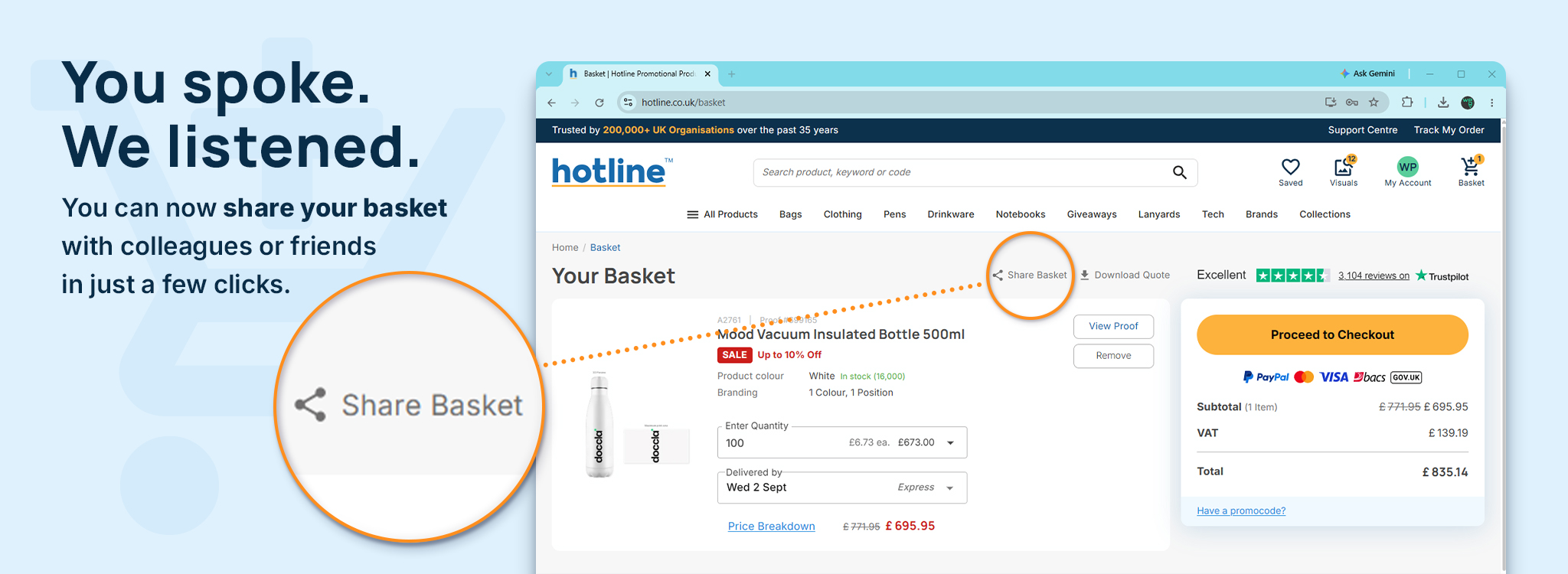
You can build a basket of products on hotline.co.uk and share it with a colleague by email. They open one link and see...
You can build a basket of products on hotline.co.uk and share it with a colleague by email. They open one link and see everything you selected, with the quantities and the prices.


Related topics
View allYou can build a basket of products on hotline.co.uk and share it with a colleague by email. They open one link and see everything you selected, with the quantities and the prices, exactly as it was at the point you sent it. It replaces the version of this job where you paste 8 product links into an email and hope everybody opens the right ones.
Merchandise decisions almost never involve one person. Somebody researches the options, somebody else has to like them, and quite often a third person controls the budget. All three need to see the same list, and until now the only way to give it to them was a wall of links and a covering note explaining which was which.
How sharing a basket works
Build your selection the way you normally would. Add the products you're considering, set the quantities you want, and when you've got something worth showing somebody, share the basket by email.
Your colleague opens the link and sees the whole selection on one page. They don't have to piece together which products go with which quantities, and they don't have to open eight tabs to see what you're proposing to spend.
Why the shared version is a snapshot
The basket your colleague opens is what you sent, rather than whatever you've done to your own basket since. If you carry on browsing afterwards and swap two products, their link still shows the selection you shared.
That's deliberate, and it's the part worth understanding. If you're asking somebody to approve a spend, they need to approve a fixed list. A basket that quietly changed underneath them would make the approval meaningless, and it would make the person who gave it look careless when the invoice came in different.
If you do change your mind, share the basket again. They'll get the new version and can approve that instead.
Where it fits in an approval process
Most merchandise sign-off involves three steps. Somebody chooses the products, a manager approves them and somebody in finance approves the cost.
Before a basket can be shared, we’ll have already created a free Visual Proof™ for each product. This means everyone opening the shared basket can see exactly how the products will look with your logo, alongside the selected quantities, prices and guaranteed delivery dates.
Everything needed to make a decision is available in one place. There’s no need to piece together products, proofs and prices from different emails, and no confusion about which option is being approved.
Name your approver before you send
If your organisation buys merchandise regularly, it's worth agreeing in advance who approves what. Approvals hold up more merchandise orders than production does. A proof or a basket sits in somebody's inbox for four days while everybody assumes somebody else is looking at it, and the deadline moves by four days.
Name the approver before you send, and tell them it's coming.